
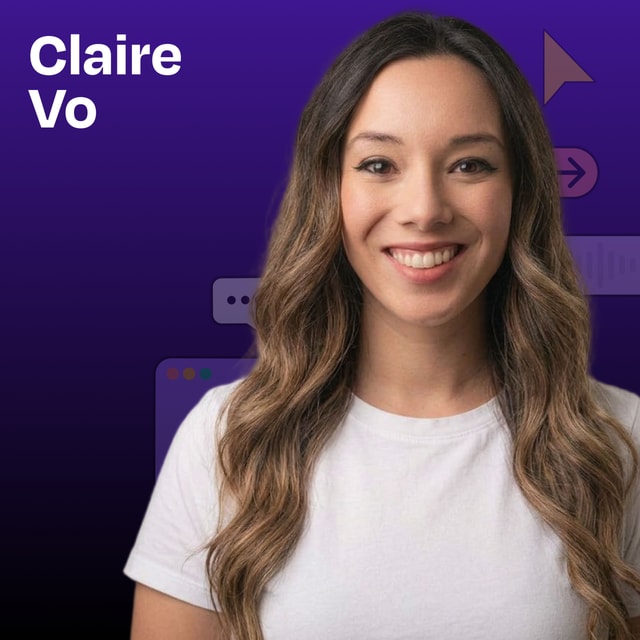
In this mini episode, I do a full walkthrough of the AI design tools that dropped in April 2026: Anthropic’s new Claude Design, OpenAI’s GPT Images 2.0, and Google Labs’ open-source DESIGN.md format. I import a full design system from Lenny’s Newsletter, build a landing page, turn my own article into a polished deck, generate a brand kit for ChatPRD, and run a personal color analysis from a photo. What you’ll learn: How Claude Design handles design system imports and whether it can actually replace Figma The three best use cases for Claude Design: marketing landing pages, slide decks, and creative redesigns Why ChatGPT Images 2.0 is a breakthrough for brand kits and layout work Google’s new DESIGN.md standard The practical limits of AI design tools (spoiler: you’ll hit credit limits fast) — Brought to you by: WorkOS —Make your app enterprise-ready today Rippling —Stop wasting time on admin tasks, build your startup faster — In this episode, we cover: (00:00) Welcome and what’s in the spring 2026 AI design drop (01:45) Claude Design overview (03:05) Importing Lenny’s Newsletter design system into Claude Design (04:06) How Claude Design structures a design system (05:42) Google Labs’ DESIGN.md standard (06:41) Building Lenny Doc, a PRD generator landing page using the Lenny design system (09:44) Why the three-variation output is Claude Design’s smartest UX choice (10:20) Hitting the Claude Design limit and paying $200 to keep going (11:05) Where Figma still wins (13:20) Reviewing Lenny Doc (16:19) Turning an Open Claude article into a branded slide deck (17:57) The ’90s GeoCities “Lenny’s Product Zone” redesign (19:44) Claude Design recap (20:15) ChatGPT Images 2.0 and what makes it the first “thinking” image model (21:25) Generating a multi-page brand kit for ChatPRD and iterating with reference images (23:43) Personal color analysis demo (26:02) Recap — Detailed workflow walkthroughs from this episode: • How I Put Claude Design and GPT Images 2.0 to the Test: Building Landing Pages, Slides, and Brand Kits: https://www.chatprd.ai/how-i-ai/claude-design-and-gpt-images-2-building-landing-pages-slides-and-brand-kits • How to Generate a Professional Brand Kit with GPT Images 2.0: https://www.chatprd.ai/how-i-ai/workflows/how-to-generate-a-professional-brand-kit-with-gpt-images-2-0 • How to Convert an Article into a Polished Slide Deck with AI: https://www.chatprd.ai/how-i-ai/workflows/how-to-convert-an-article-into-a-polished-slide-deck-with-ai • How to Build a High-Fidelity Landing Page with Claude Design: https://www.chatprd.ai/how-i-ai/workflows/how-to-build-a-high-fidelity-landing-page-with-claude-design — Tools referenced: • Claude Design: https://claude.ai/design • ChatGPT Images 2.0: https://openai.com/index/introducing-chatgpt-images-2-0/ • Midjourney: https://www.midjourney.com/ — Other references: • Google’s DESIGN.md: https://stitch.withgoogle.com/docs/design-md/overview • Lenny’s Newsletter: https://www.lennysnewsletter.com/ • Jamie Gannon “How I AI” episode on reference styles: https://www.lennysnewsletter.com/p/mastering-midjourney-how-to-create • Brand prompt inspiration: https://x.com/riomadeit/status/2046682442791071787 • Figma team “How I AI” episode on design systems: https://www.lennysnewsletter.com/p/from-figma-to-claude-code-and-back — Where to find Claire Vo: ChatPRD: https://www.chatprd.ai/ Website: https://clairevo.com/ LinkedIn: https://www.linkedin.com/in/clairevo/ X: https://x.com/clairevo — Production and marketing by https://penname.co/. For inquiries about sponsoring the podcast, email jordan@penname.co.